
Maritime Insights · Deployment
Cloud crew management software vs an on-premise server
Cloud crew management software runs on the vendor's infrastructure and you reach it through a browser. An on-premise system runs on a machine you own, normally in the head office, normally behind a VPN. For most crewing operations the cloud is now the better answer, though rarely for the reasons that appear in the brochures.
Three questions decide this, which are rarely answered: who holds your seafarer data, which country it sits in, and who in your organisation can retrieve a record when the office that owns the server is closed. The deployment label matters less than the answers, and the sections below work through all three.

Four arrangements that all get called a cloud-based crew management system
Almost every crewing vendor now calls itself cloud-based. The word covers at least four different setups, and they behave nothing like each other when an upgrade, a restore, or a data export is on the table.
- Multi-tenant SaaS crew management software. One application instance, one database, and every customer's records separated by a tenant column. It is the cheapest model to run and what most vendors mean by cloud. Your records and a competitor's sit in the same tables, kept apart by code rather than by infrastructure.
- Dedicated single-tenant deployment. Your own application instance and your own database, run by the vendor on public cloud infrastructure. It costs the vendor more, and no query written against another customer's data can return your crew list. RiteCrew is deployed this way on AWS, with data isolation per customer.
- Vendor-hosted legacy. The old on-premise product, installed on a server in the vendor's data centre and reached over remote desktop. The marketing still says cloud. Upgrades arrive the way they did in 2009, as a scheduled project on the vendor's timetable rather than a release that reaches you automatically.
- Self-hosted. You take the software and run it on your own hardware or in your own cloud account. The backups, the patching and the uptime belong to you, and so does the call when it stops.
Which of the four a platform uses matters more than its feature list. It sets the upgrade path, the recovery time after a failure, and how much work it takes to move the data anywhere else. RiteCrew is the second one: web-based crew management software running as a dedicated deployment per customer, reached from any office browser.
The 03:00 problem an on-premise crewing system creates
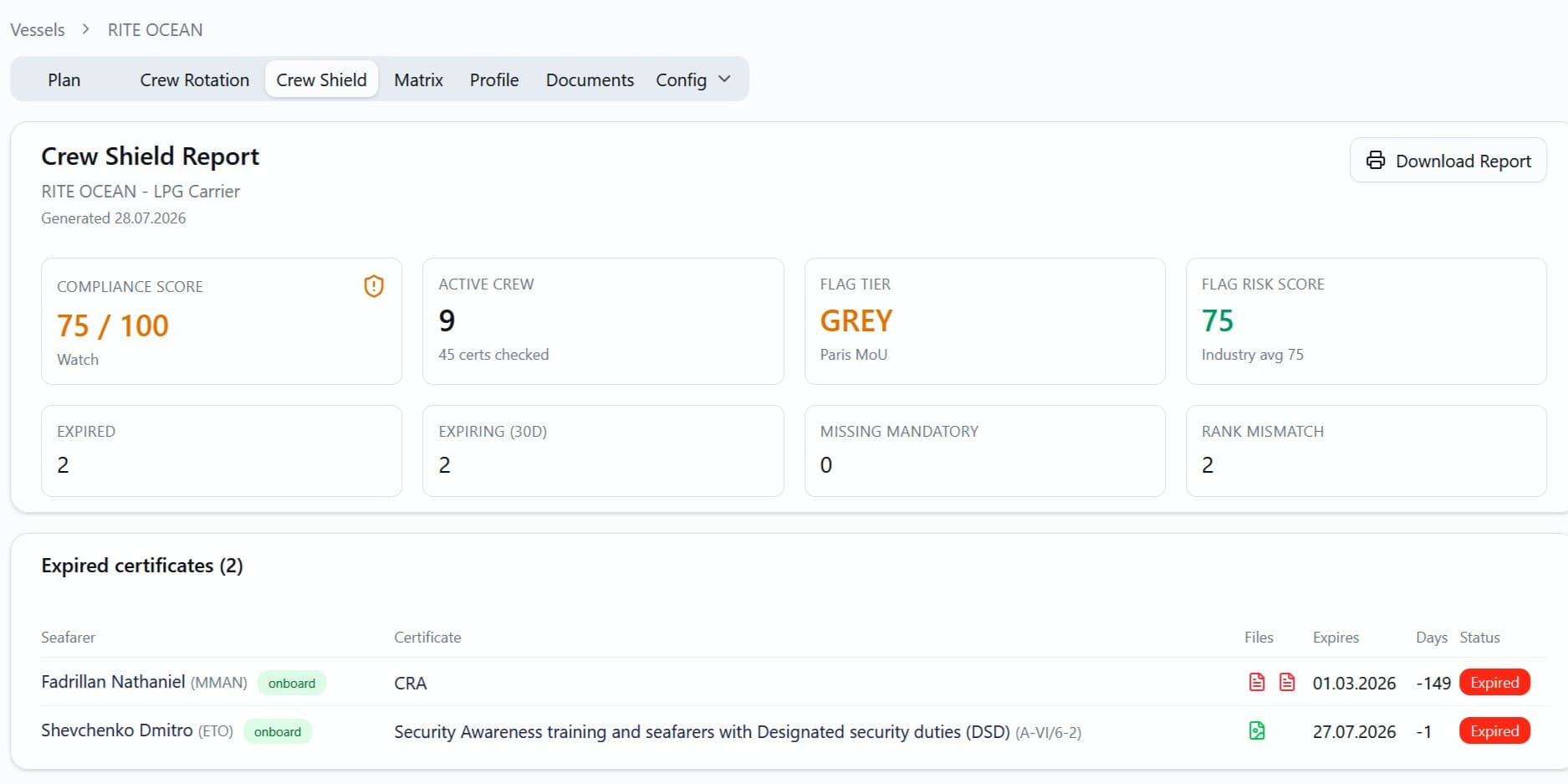
A bulk carrier is alongside in Singapore. A port state control inspector boards at 09:00 local time and asks for two things: the second officer's STCW endorsement, and the rest-hour records for the last six months. The Master calls the crewing office in Hamburg, where it is 03:00 and nobody is awake. The certificate exists, as a scan on a file server behind that office's VPN, and the only people who can reach that server are asleep in the same city.
None of that is far-fetched. Rest-hour recording is required under Regulation 2.3 of the Maritime Labour Convention, 2006, and the ISM Code expects the documents that prove compliance to be controlled and available where they are needed. An inspector does not care which server your scans live on.
The argument for hosting starts here, well before anything about scalability. An on-premise server ties the record to one office and its working hours. A hosted system puts the same record in front of whichever of your offices is awake, or directly to the Master on the vessel, without anyone emailing a zip file. The endorsement goes back to the vessel in minutes rather than at the start of the European working day. Whether a vessel gets targeted for that inspection in the first place depends partly on its flag: the Paris MoU White, Grey and Black List drives inspection frequency across European ports, and you can check where your own flags sit with the port state risk map.
Crew management software data security: where your seafarer data lives
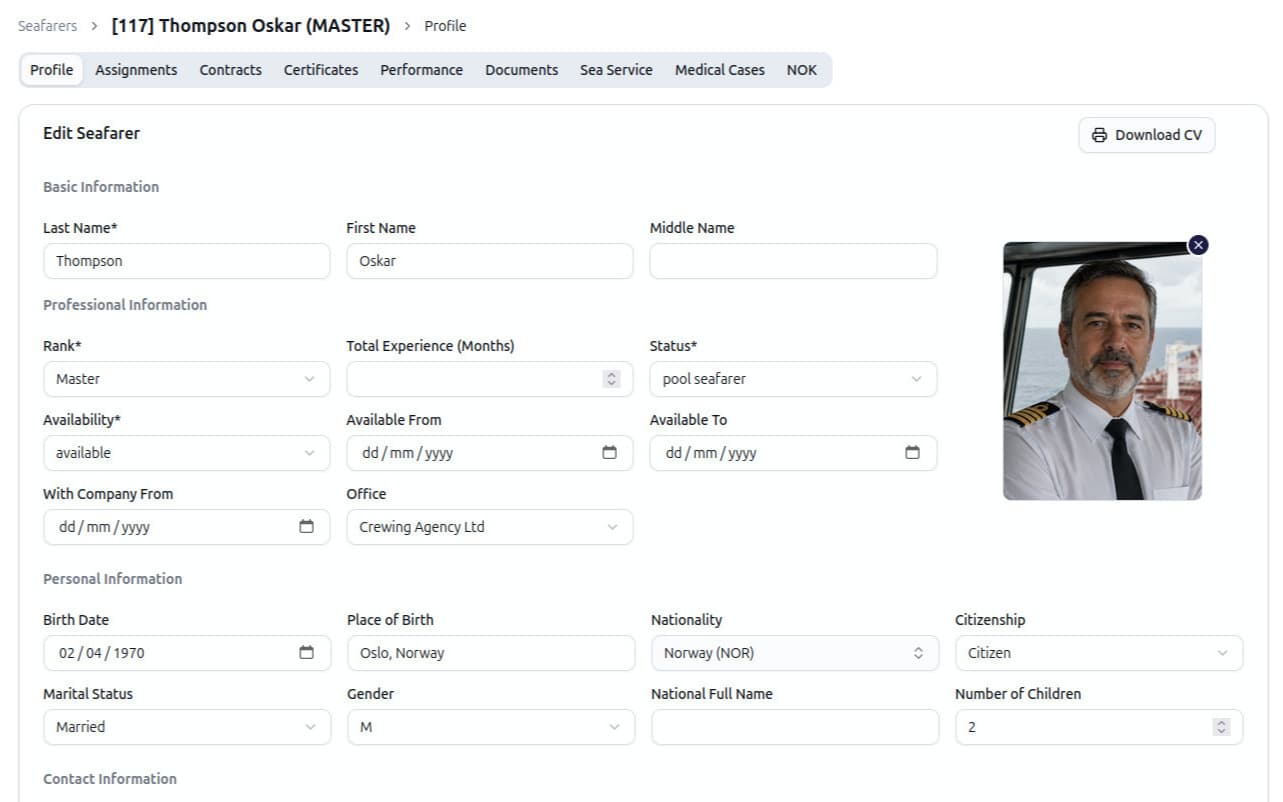
A crewing database is one of the more sensitive systems a ship manager runs. It holds passport and seaman's book scans, medical fitness certificates, next of kin, bank details for allotments, and in many cases the seafarer's home address. Under EU data protection law all of it is personal data, and the medical fitness certificates are a special category. Where it sits and who can open it are procurement questions that deserve a real answer.
An on-premise server answers the location question easily: the data is in your office. It answers the access question much less well. In practice the office server is reachable by whoever has domain credentials, the backup tapes go home in somebody's bag, and the last restore test was two IT contractors ago. Owning the hardware tells you where the data is. It says very little about who has opened it.
Four things separate one hosted platform from another: which cloud region holds the data and whether that is yours to choose, whether the deployment is shared or dedicated, who at the vendor can read a seafarer record and whether that access is logged, and what comes back to you on the day you cancel. The last one tends to be the most revealing, and the least often published.
RiteCrew's answers are on the record. It is operated by an Estonian company, crew data sits on encrypted AWS infrastructure inside the European Union, backups run daily, and every customer gets a dedicated deployment with its own isolated data.
On-premise vs cloud crewing software: the rows that differ
Most comparison tables pad themselves out with rows where the two options behave identically. The table below keeps only the rows where they diverge.
| Dimension | Cloud | On-premise |
|---|---|---|
| Cost shape | Monthly subscription, predictable and cancellable. | Licence up front, then the servers, the backup, the IT time and a periodic upgrade project. |
| Access from a second office or a manning agent | Any browser, any office, with no VPN accounts to hand out. | One VPN account per external user, or exports sent by email. |
| Regulatory updates | They arrive with the next release, on the same day for every customer. | They become an upgrade project, often deferred a year or more. |
| Recovery after hardware failure | Handled by the vendor under their own backup schedule. | Yours, and only as good as the last restore you tested. |
| Data location | A region set at deployment. RiteCrew uses the EU. | The office, under your own control. |
| Leaving the vendor | Depends on the export terms you negotiated. | You hold the database, often in a format only the vendor can read. |
What the subscription costs
The cost argument for cloud crew management software is usually made badly. Vendors line their monthly fee up against the price of a server and stop there. That comparison flatters them: the server is bought once, the subscription runs for as long as you use it. A fair comparison adds the costs that never reach a purchase order: the IT hours spent patching, the upgrade project you keep postponing because it needs downtime, and the restore you have never tested.
RiteCrew is €197 per month on the Crewing Agency plan, flat, with no per-vessel multiplier and no per-seafarer fee. Vessel planning and full payroll processing sit on the €397 Vessel Operator plan. Data migration costs nothing for new accounts on a contract of six months or more, and a ten-vessel fleet is normally live within a week. The full pricing is published, which is less common in this market than it should be.
Per-vessel pricing is the model to understand before comparing anything. It bills more for exactly the fleet growth an operator is working towards, so the quote signed at six vessels is not the quote paid at twelve. A flat rate does not move. For what a crewing platform should cover module by module, our guide to maritime crew management software and what it costs goes through them in turn.
Frequently asked questions
Is cloud crew management software secure enough for seafarer data?
For most ship managers a reputable hosted platform is more secure than the office server it replaces, because patching, encrypted backups and access logging are somebody's full-time job rather than an afternoon task. The part that varies between platforms is access: who at the vendor can open a seafarer record, and whether that gets logged. RiteCrew runs a dedicated deployment on encrypted AWS infrastructure inside the European Union.
Can a cloud crew management system work with poor satellite coverage?
On most trading routes, yes. Low-earth-orbit coverage has removed the bandwidth objection for the majority of operators, and crew records are tiny compared with anything else the ship downloads. The exception is a trade that runs for weeks without a usable link and needs records edited from the vessel itself, which is rare and easy to identify in advance.
What does multi-tenant mean, and does it matter for crewing?
Multi-tenant means one application and one database serve every customer, with records separated by a tenant identifier. It is cheaper to operate and it is how most SaaS works. For crewing it matters because a query bug turns into a leak of passport scans rather than an error message. RiteCrew instead runs a dedicated deployment on AWS with data isolation per customer.
Do flag states require seafarer data to be stored in a specific country?
Flag state requirements generally concern the records themselves and their availability rather than the country the server sits in. Location requirements usually arrive from somewhere else: data protection law where the crew are recruited, a charterer's vetting questionnaire, or an internal group policy. Those three, rather than the flag, are where the constraint normally originates.
How much does cloud crew management software cost?
RiteCrew is €197 per month on the Crewing Agency plan, with vessel planning and payroll processing on the €397 Vessel Operator plan. Across the market, pricing is usually quoted per vessel or per active seafarer, which is why two quotes for the same fleet rarely compare line by line. A flat rate is the exception, and it is the reason the RiteCrew figure above does not change as the fleet grows.
How long does migration from an on-premise system take?
For a fleet in the ten-vessel range, under a week is normal, and most of the work is cleaning the data rather than moving it. Expect duplicate seafarer records, certificates recorded under three different names, and contracts that exist only as Word files. That cleanup has to happen whichever system you end up on.
See it against your own fleet
Bring the scenario that is bothering you right now: a vessel whose certificate matrix has drifted, a manning agent who needs access to one crew pool and nothing else, or a seafarer file scattered across four inboxes. We will run it live. Book a 20-minute demo, or take the tour first if you would rather look before you talk to anyone.
Published · Last updated