
Multi-currency · Audit-ready · GDPR-compliant · Flat-rate from €197/mo
The Payroll module
Four steps, one connected workflow.
Most maritime payroll setups stitch three or four systems together: a Word doc for the contract, a spreadsheet for the payroll, a separate PDF tool for the payslip, an inbox for vessel transactions. RiteCrew runs all four in one workspace. Each step feeds the next without re-entry.
Contracts
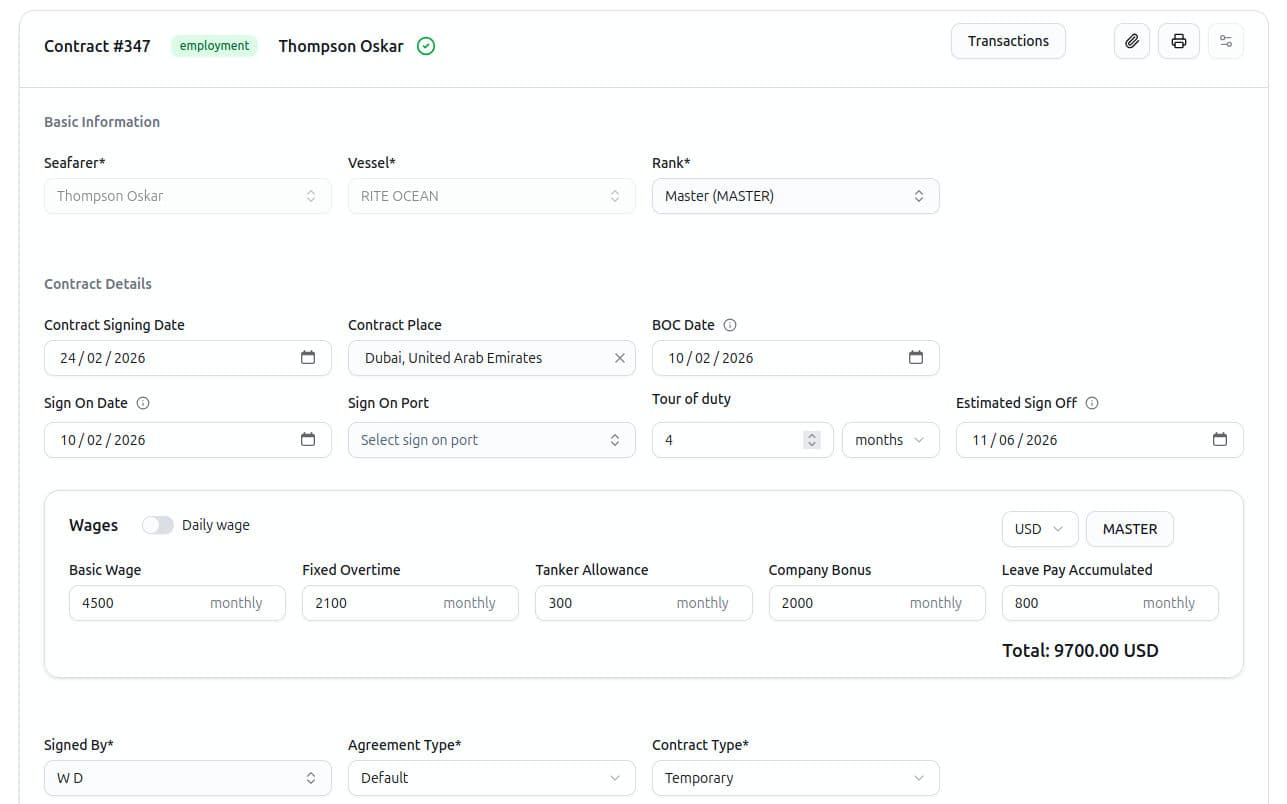
Generate contracts from templates
Define a contract template once. The template understands every field on the contract - dates, ranks, vessel, employer, payroll currency, basic wage, fixed overtime, tanker allowance, company bonus, leave pay accumulated.
When a new contract is issued, the template interpolates with the live data and produces a contract-ready PDF. Different agreements? Different flag states? Different vessel types? Keep a separate template for each.
- One source of truth: edit the template; every future contract uses the new wording.
- PDF and reuse: contracts are stored on the seafarer profile and on the contract record. Re-issue, re-print, re-export at any time.
Payroll period
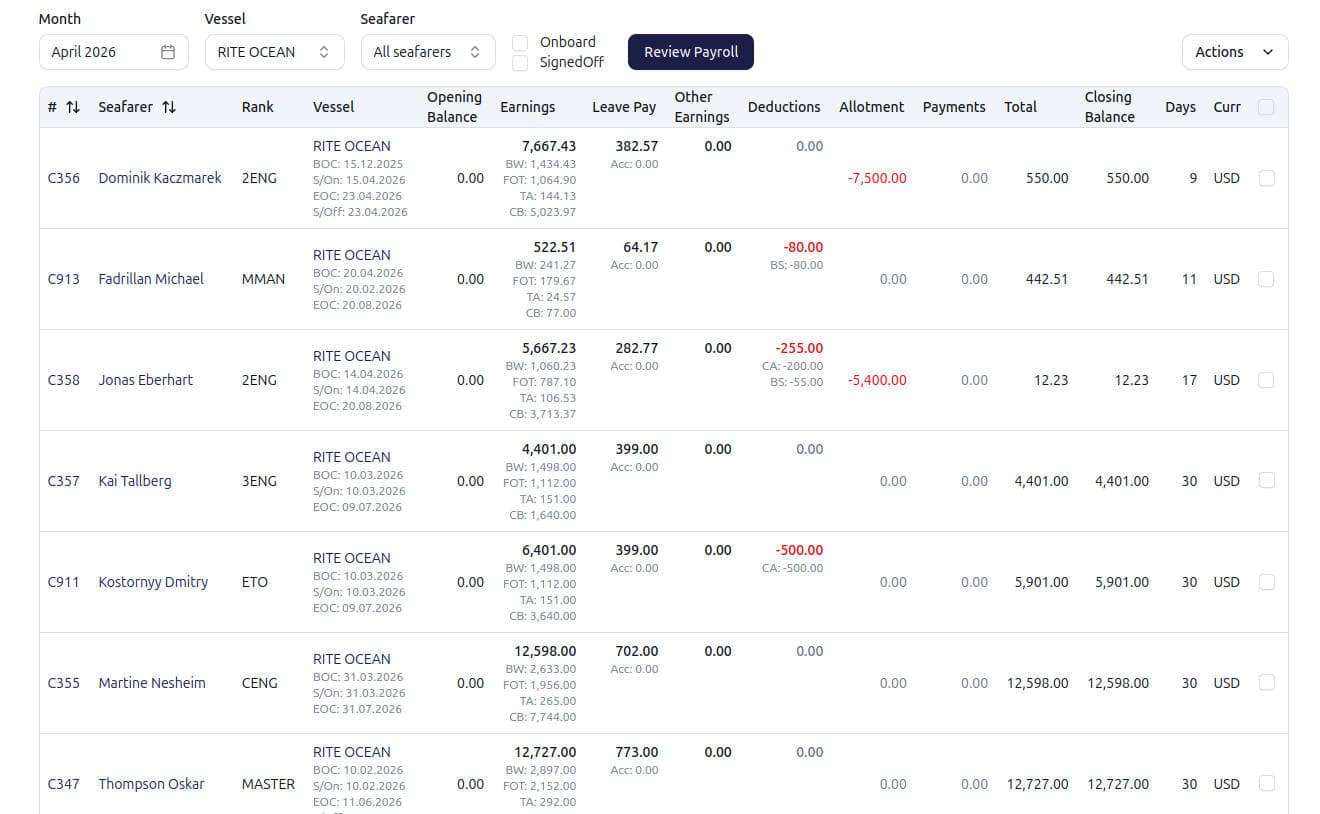
Run the payroll period
RiteCrew pulls every active contract, calculates wages with full maritime semantics - partial-month proration, accumulated leave pay, currency, vessel-side transactions - and presents the result before you commit.
No payslip is created in the database until you confirm. You review the per-seafarer numbers, drill into any line, and only then create payslips and an audit log entry records exactly what changed and who changed it.
Payslips
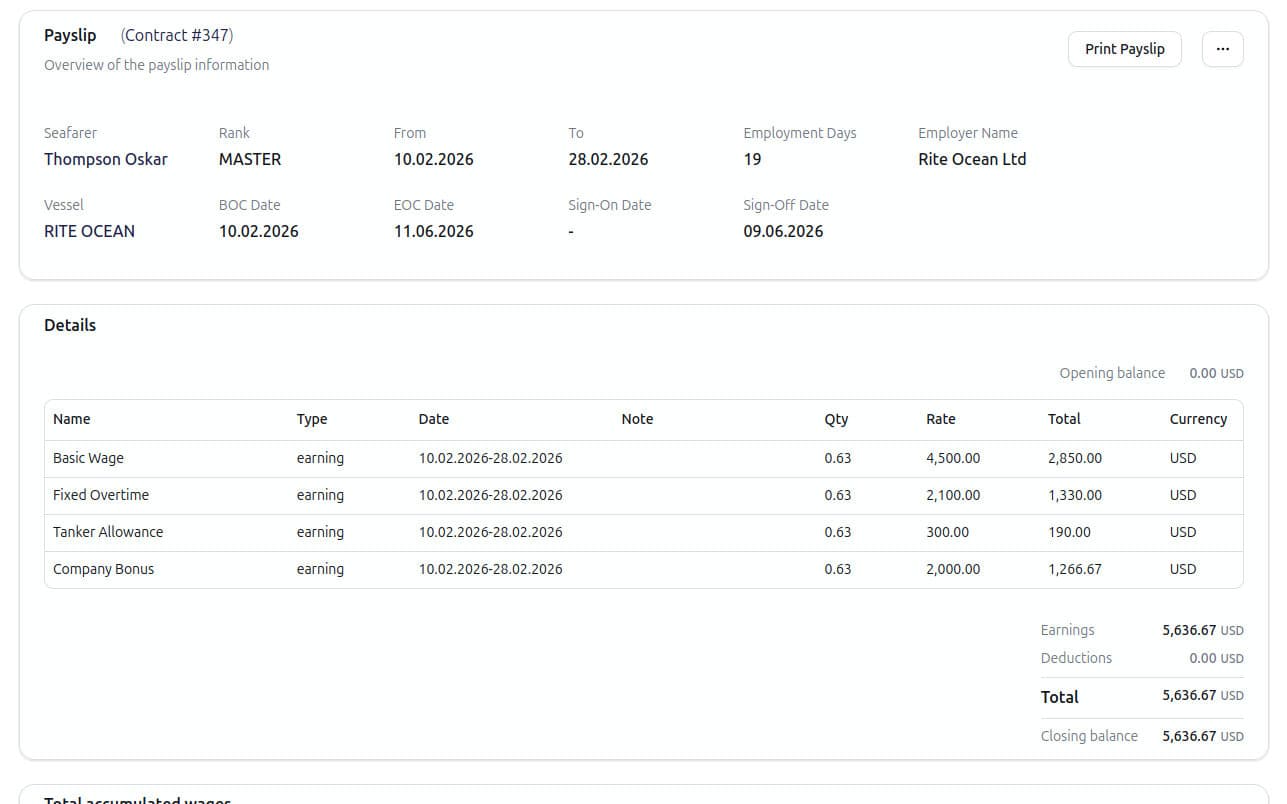
Produce and review payslips
Every payroll period that closes produces one payslip per seafarer. The payslip is a versioned, snapshot record - not a live recalculation. It captures the contract terms at the moment of close, every transaction that contributed, opening and closing balance, employment days, and a complete line breakdown.
Each payslip exports as a print-ready PDF. Email it, archive it, hand it to a flag-state auditor. The payslip can be cancelled if needed - balance reverts, audit log records the reversal. No silent edits, no undocumented adjustments.
Vessel transactions
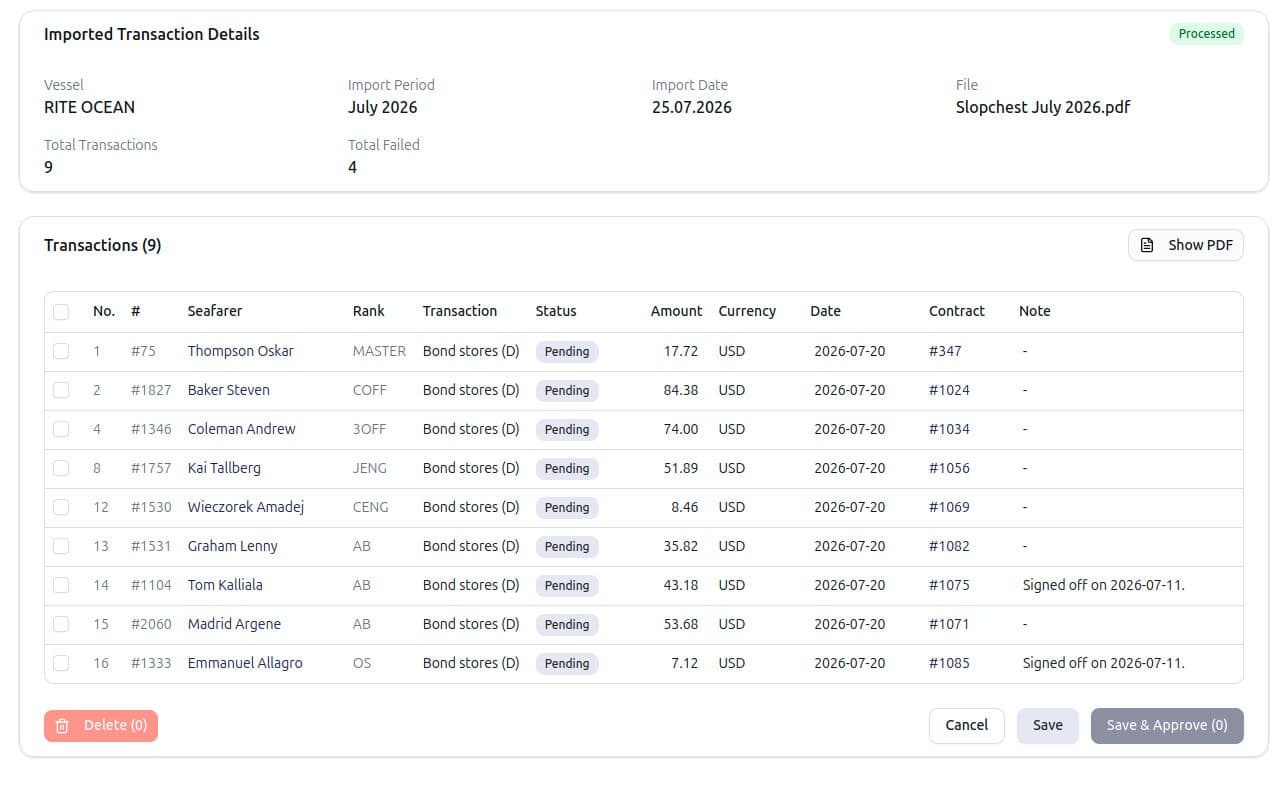
Import vessel-side transactions automatically
Vessels send paperwork. Slop-chest sheets, allotment instructions, cash-advance ledgers - usually as PDFs or Excel files, often handwritten on top of a printed template. The standard workflow: open the file, retype every line into a spreadsheet, hope nothing was missed, attach the original to an email no one will open again.
RiteCrew skips that. Upload the file. The system reads it - vessel name, document type, payment date, and every row (seafarer, rank, amount, currency, date, note). The rows are staged, matched to existing seafarer and contract records, and presented for review before they are written to the period. You confirm, the transactions land in the right contracts, and the next payroll run includes them automatically.
- Auto-matching: seafarers are matched by name and rank to the right active contract for the payment date.
- Stage and confirm: nothing posts until you review it. The original file stays attached to the imported batch for the audit trail.
Traceability
Every payslip line traces back to a contract.
In RiteCrew, a payslip is not a calculation - it is a record. Every line on a payslip ties to a transaction. Every transaction ties to a contract. Every contract ties to a vessel, a seafarer, and a wage structure. Every change is in the audit log.
Comparison
How RiteCrew compares to spreadsheets and generic payroll tools.
| Capability | Spreadsheets | RiteCrew |
|---|---|---|
| Contract templates with maritime-specific variables | ||
| Accumulated leave pay with automatic final settlement | ||
| Promotion mid-contract carry-forward | ||
| Vessel transaction import from PDF / Excel | ||
| Payslip with snapshot of contract and transactions | ||
| Full audit trail per record |
FAQ
Frequently asked questions about the Payroll module.
What happens to accumulated leave pay when a contract closes?+
Accumulated leave pay is paid out automatically as part of the final settlement on the closing payslip. The system flips it from a running deduction to a final-settlement earning, marks it as included in final settlement, and includes it in the closing balance. No manual journal entry required.
Can I cancel a payslip?+
Yes. Cancelling a payslip reverts the contract balance, sets the transactions back to unbilled, and records the reversal in the audit log. The payslip itself is marked cancelled (not deleted) so the history stays auditable.
What format are payslips produced in?+
Each payslip is generated as a PDF, with full line breakdown, opening and closing balance, employment days, and the employer entity's branding. The PDF is print-ready and can be emailed directly from the system.
Does the vessel transaction import really read scanned PDFs?+
Yes. RiteCrew processes uploaded vessel paperwork - slop chest, cash advance and allotment document types. Rows are extracted, auto-matched to seafarers, and presented for your review before anything is posted.
How is this priced?+
Flat monthly pricing with no per-vessel multiplier and no per-seafarer fee. See the pricing page for the full breakdown.